Boodle Box offers a unique multi-bot experience where over 1,000 specialized bots work together with you to tackle any topic or task. We call them “AI Helpers”.
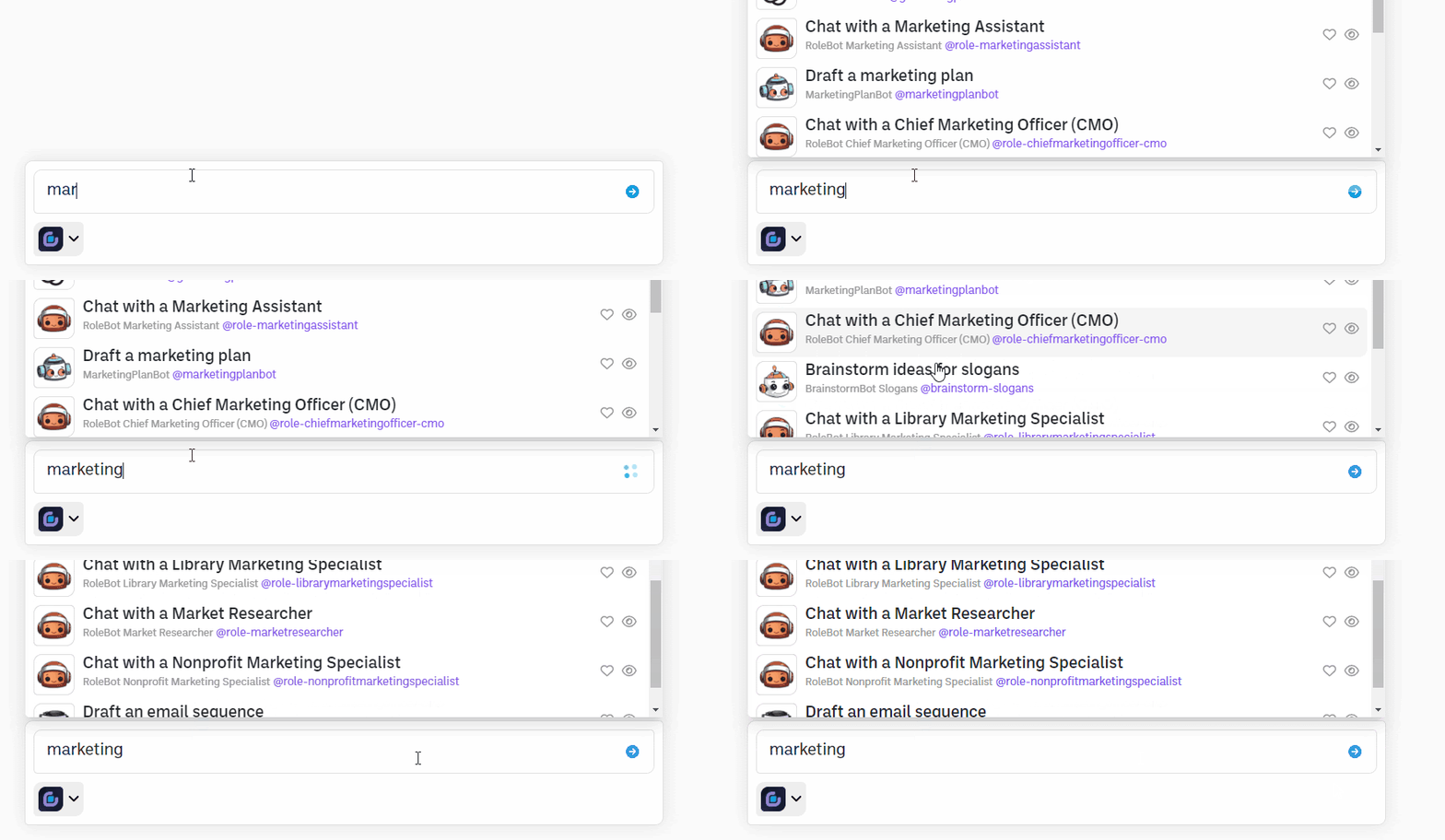
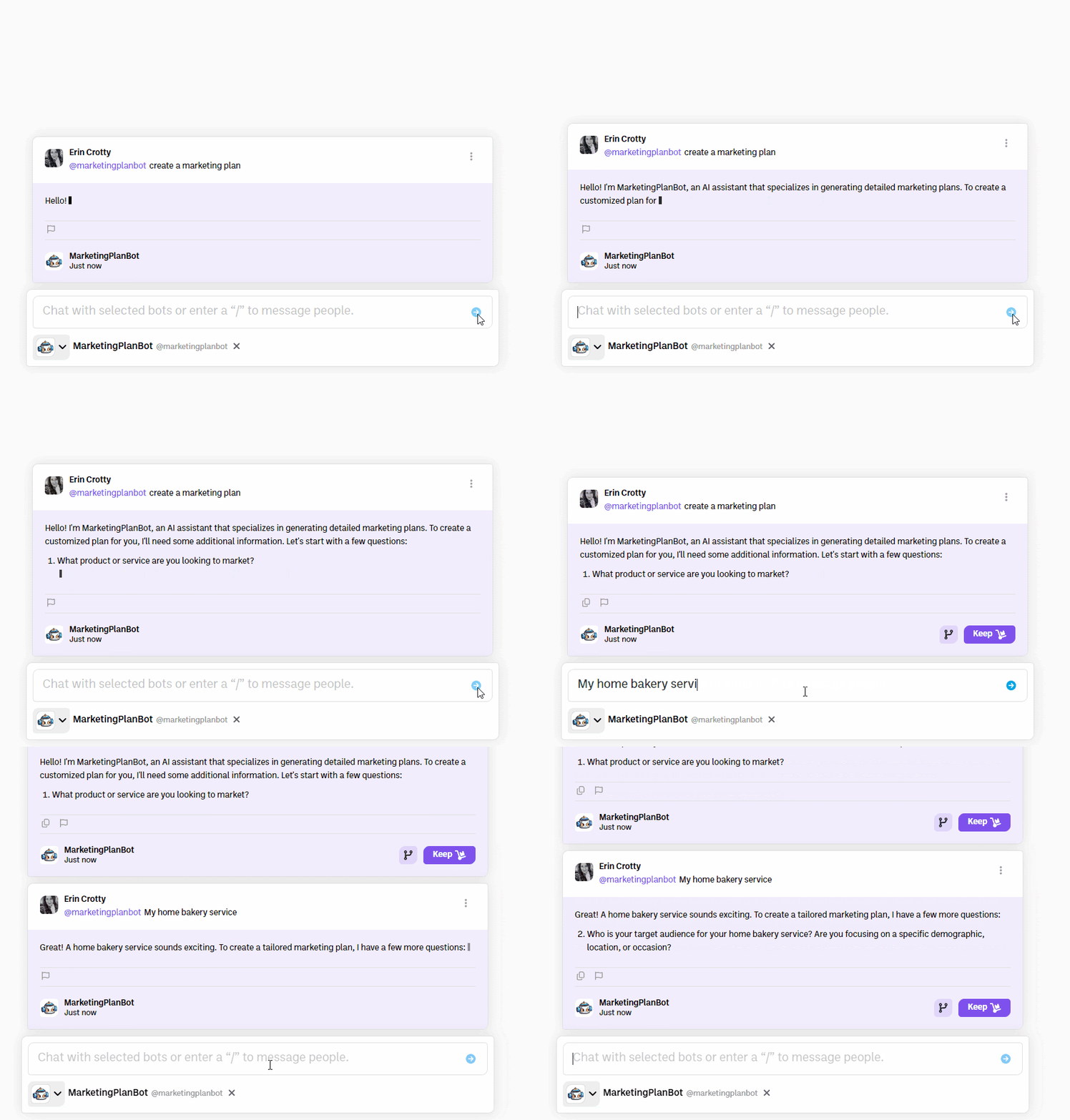
The easiest and recommended way to use the Chat Bar is to just start typing. BoodleBox will auto-recommend potential bots that can help. Select the bot you want, finish your prompt, then hit enter or click send.
If you want to view additional bots, click the BoodleBox icon to view the Bot List. When viewing the Bot list, you can use your mouse or the arrow keys to scroll. To select a bot, click on it, press enter, or press tab.
You can also bring up the Bot List by typing the “@” symbol in the ChatBar. You can then filter the list by typing a keyword.
When you view a list of bots, simply click the heart icon next to any bot, and it will be added to your favorites. Click on the icon next to “Favorite Bots” to minimize or expand your list of favorite bots. To start a chat with a favorited bot, click on the bot.
When you open the Bot Garage, you'll now see options to favorite any of the Bots or Assistants. Simply click the heart icon next to any bot, and it will be added to your favorites.
Alternatively, when you view a list of bots, simply click the heart icon next to any bot, and it will be added to your favorites.
You can change the order of your favorites by clicking on the "Favorite Bots" tab in the Bot garage. Then, click on the double line icon and drag the bot to the preferred place on your list.
To hide a bot from your auto-recommendations, simply click the eye icon in the bot garage or chat bar next to the bot you would like to hide. You can always find the bot again by going to the Bot Garage and clicking on “hidden bots”
Click on the “Bot” icon in the Sidebar to open the Bot Garage. The "Bot Garage" is where you go to see all your AI Assistants and AI Helpers. BoodleBox has over 1,000 AI Assistants and AI Helpers ready to work with you and your team.
Use the search bar to find the bots you want and discover new bots to help you be more productive.
You can start a chat from the Bot Garage with a specific bot by clicking the arrow icon.
When you open the Bot Garage, you'll now see options to favorite any of the Bots or Assistants. Simply click the heart icon next to any bot, and it will be added to your favorites.
To hide a bot from your auto-recommendations, simply click the eye icon in the bot garage or chat bar next to the bot you would like to hide. You can always find the bot again by going to the Bot Garage and clicking on “hidden bots”
You can view your favorites by clicking on the "Favorite Bots" tab in the Bot Garage.
You can change the order of your favorites by clicking on the "Favorite Bots" tab in the Bot garage. Then, click on the double line icon and drag the bot to the preferred place on your list.
You can view your favorites by clicking on the "Hidden Bots" tab in the Bot Garage.
You can unhide a bot by clicking on the eye icon next to the hidden bot.
Every AI Assistant and Bot has a profile page with a dedicated feed where you can see how other BoodleBox users are working with the Bot Assistant. Simply click on the @botname or avatar from the Bot Garage to view its specific profile.
You can begin a chat with any bot from their bot profile page by clicking the “start chat” button under their bot image.
You can share a bot from their bot profile page by clicking the “share” button under their bot image.
On the right hand side of the bot profile page, you can view all of the exchanges with that bot that users have made public. You can like, comment, share any exchange as well as follow authors and open public boxes. Where available, you can view chat threads and continue chats.
You can favorite bot from their bot profile page by clicking the “heart” icon under their bot image.
Learn more about the ins and outs of the BoodleBox workspace from our team of experts.
Schedule a meetingLooking for more information?